Why Decoding a JWT Is Not Verifying It (And How Security Bugs Slip Through)
Decoding a JWT only unmasks Base64URL strings. Here is how alg: none bypasses, algorithm confusion, and unverified claims slip into production.
Last Tuesday, a staging auth bug had three devs stumped for half an afternoon.
Nginx was spitting 401 Unauthorized. But the tester dumped their Bearer token into Chrome's DevTools console, ran JSON.parse(atob(token.split('.')[1])), and saw:
{
  "sub": "usr_9912",
  "role": "admin",
  "exp": 1791592000
}
The expiration was hours away. The role string was right.
So why did the API gateway reject it?
Because Base64URL decoding doesn't verify signatures. It just prints whatever text is encoded in the middle chunk. The actual signing key on the auth service had been rotated thirty minutes earlier, so every signature check was failing cold at the reverse proxy.
I see this confusion constantly in backend code reviews. Developers assume that because a token decodes cleanly, it must be valid.
It isn't.
Decoding a token and verifying a token are completely different operations. Conflating them is how privilege escalation bugs and auth bypasses make it to production.
1. Decoding Is Just String Unmasking (There Is Zero Encryption Here)
Standard JSON Web Tokens (RFC 7519) aren't encrypted. Unless you specifically implement JWE (RFC 7516), your token is just three Base64URL strings separated by dots:
header.payload.signature
The payload is UTF-8 text mapped into ASCII using 64 safe characters. Anyone who intercepts the token can read every single claim. When you paste a token into a web tool or run atob() on the middle chunk, no secrets are involved. You aren't "decrypting" anything—you're just reversing an encoding format designed for HTTP headers.
+-------------------------------------------------------------------------+
|                               JWT STRUCTURE                             |
+-------------------------------------------------------------------------+
|  eyJhbGciOiJIUzI1NiIsInR5cCI6IkpXVCJ9  --> HEADER (JSON: alg, typ)      |
|  .                                                                      |
|  eyJzdWIiOiIxMjM0NTY3ODkwIiwibmFtZ...  --> PAYLOAD (Claims / Identity)  |
|  .                                                                      |
|  TJVA95OrM7E2cBab30RMHrHDcEfxjoYZg...  --> SIGNATURE (HMAC / RSA Proof) |
+-------------------------------------------------------------------------+
Verification, by contrast, is a cryptographic assertion. It answers two specific questions:
Was this payload issued by someone holding our private key or shared secret?
Has any byte of the header or payload been tampered with since it was signed?
If you skip verification and just decode, you are treating arbitrary untrusted user input as verified identity claims.
2. Attack Vector 1: The alg: none Vulnerability
The JWT specification includes an algorithm identifier called none. It was originally intended for unsecured tokens in trusted environments or testing.
In vulnerable implementations:
An attacker intercepts their legitimate token.
They decode the payload and change
"role": "user"to"role": "admin".They change the header to
{"alg": "none", "typ": "JWT"}.They strip the signature segment entirely, leaving
header.payload..
If the server library uses a naive verification function that relies on the token's header to determine which algorithm to verify with:
// DANGEROUS PATTERN: Trusting the incoming header's algorithm
function unsafeVerify(token, secret) {
  const [headerB64, payloadB64, sig] = token.split('.');
  const header = JSON.parse(atob(headerB64));

  if (header.alg === 'none') {
    // BUG: Accepts unverified payload because header asked for 'none'
    return JSON.parse(atob(payloadB64));
  }

  return crypto.verify(header.alg, `${headerB64}.${payloadB64}`, secret, sig);
}
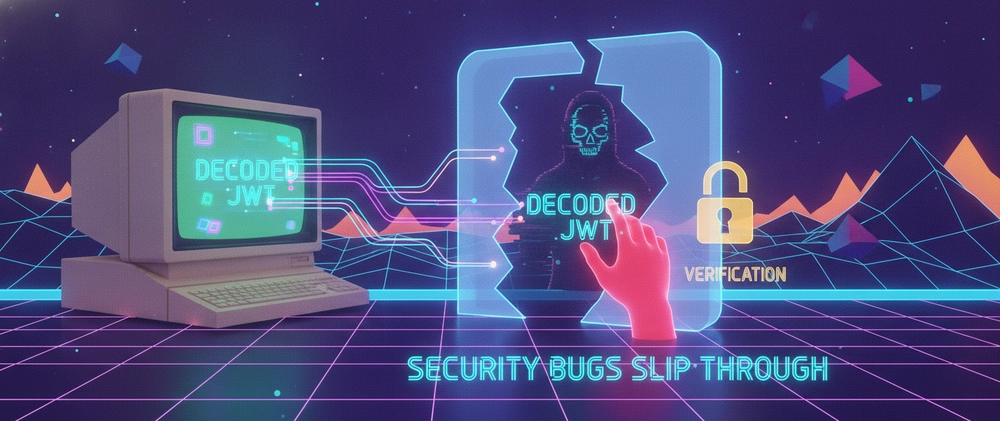
The server reads alg: none, bypasses the signature check, and grants root administrative access. Modern libraries reject none by default, but custom middleware and legacy microservices still get bitten by this pattern regularly.
3. Attack Vector 2: Algorithm Confusion (RS256 vs HS256)
This is one of the nastiest JWT bugs because it abuses mathematically correct verification code.
Say your auth system uses asymmetric cryptography:
Private Key: Held strictly by the Auth Server to sign tokens (RS256).
Public Key: Distributed to all backend microservices to verify signatures.
The attacker does this:
They take the server's known public key (which is often publicly accessible at a
/.well-known/jwks.jsonendpoint).They craft a forged payload giving themselves superadmin access.
They set the header
algtoHS256(symmetric HMAC) instead ofRS256.They sign the token using the server's Public Key as the HMAC secret!
// DANGEROUS: Server passes the public key to a generic verification function
jwt.verify(token, publicKey);
// If the library supports both HMAC and RSA, and the header says 'HS256',
// it will treat publicKey (a string) as the symmetric HMAC shared secret!
// The signature matches perfectly. Auth bypassed.
To prevent algorithm confusion, never let the token header decide the algorithm. Always enforce the expected algorithm strictly in your verification options:
// SAFE: Explicitly lock the allowed algorithm
jwt.verify(token, publicKey, { algorithms: ['RS256'] });
4. Attack Vector 3: The Expired Token Trap (exp vs nbf)
Even when signatures are valid, decoding without checking standard claims creates subtle bugs:
exp(Expiration Time): Time after which the token must be rejected.nbf(Not Before): Time before which the token must not be accepted.iat(Issued At): Time the token was generated.
When you decode a token in client-side state (e.g., React useEffect or Vue store) to show a username, you are not validating exp. If a network glitch prevents refreshing, the client might display an active session while every backend request fails with a 401.
Furthermore, distributed systems experience clock drift. A token issued on Server A with a clock 3 seconds fast might be rejected immediately by Server B unless your verification allows a small leeway:
jwt.verify(token, secret, {
  clockTolerance: 5 // allow 5 seconds of clock skew
});
5. Safe Architecture: Client-Side Inspection vs Server-Side Trust
So where does decoding belong?
| Operation | Safe On Client? | Safe On Server? | Purpose |
|---|---|---|---|
| Decode | Yes (UI labels only) | No (Never for auth) | Debugging, inspection, reading sub for local display |
| Verify | No (Secrets leak) | Yes (Mandatory) | Access control, DB queries, permission checks |
If you need to quickly inspect, format, and debug JWT payloads during development without sending your corporate tokens to a third-party server, use a client-side zero-retention tool:
👉 You can test and inspect tokens safely with the DevOmniTools Client-Side JWT Decoder. It runs 100% in your browser using local Web APIs—no headers, tokens, or claims are ever transmitted over the network.
Summary Checklist for Production JWTs
Never trust
header.alg: Hardcodealgorithms: ['RS256'](or your chosen suite) in your server's verification config.Never put secrets in the payload: Passwords, API keys, and PII do not belong in Base64URL claims.
Verify first, act second: Never query databases or assign roles based on decoded payloads before signature verification completes.
Enforce
issandaud: Always validate that the token was issued by your trusted auth provider and intended specifically for your API audience.